
How PYTHIA Pro users opt in to security texts
Pythia Scorecard and PYTHIA Pro are products of Pythia Store LLC. This page provides public reviewer evidence for a consent flow that is available only to existing client employees and managers with authenticated PYTHIA Pro console accounts.
Program purpose and access
Pythia Store LLC operates PYTHIA Pro account-security text messaging for transactional one-time passcodes and verification codes only. These messages are not marketing or promotional messages.
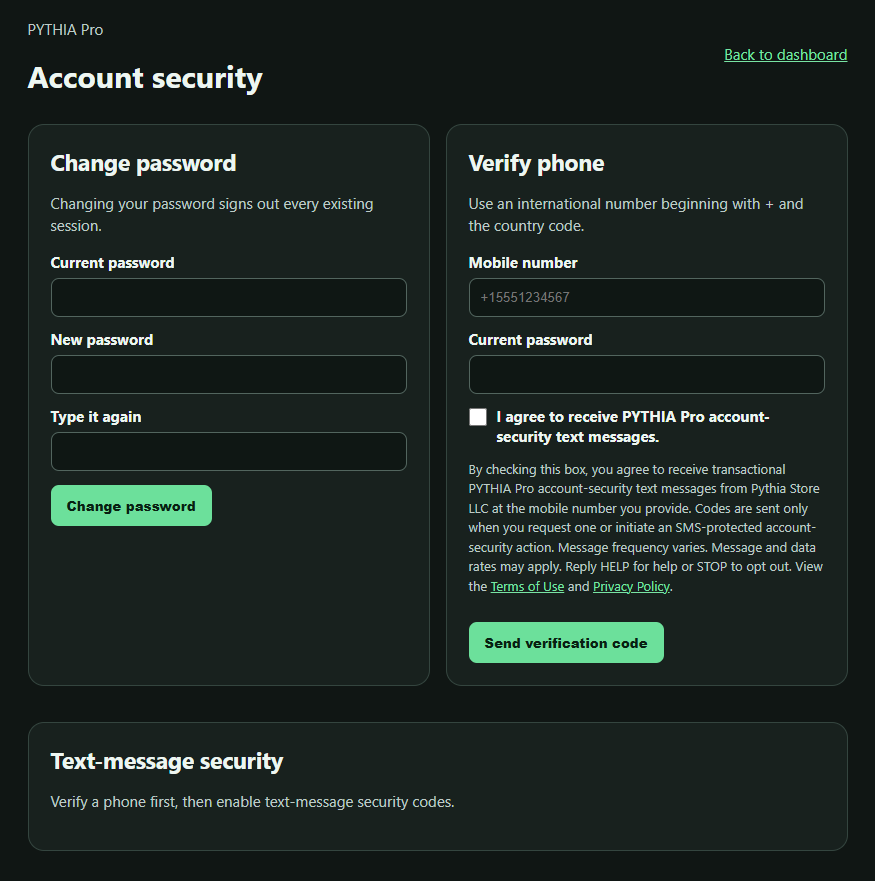
The authenticated consent screen is at https://console.pythiascorecard.com/account/security. A user must already have a PYTHIA Pro account and sign in to reach it.
This evidence page is not a public signup form. It does not ask for or collect a mobile number, consent selection, password, or security code.
The two authenticated consent points
1 · Verify a phone
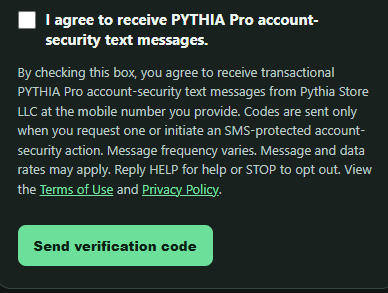
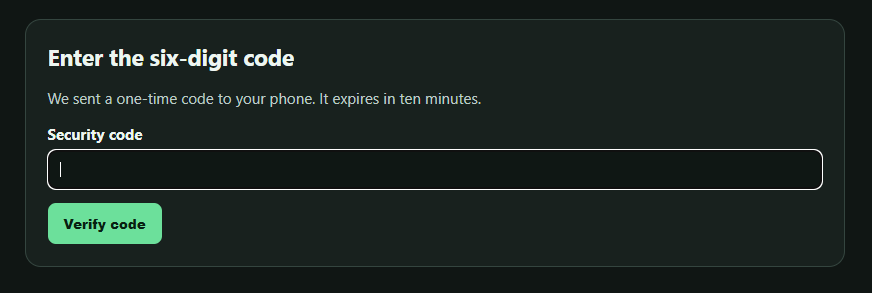
In Account Security, the signed-in user enters a mobile number the user owns or is authorized to use and the current account password. The user must affirmatively check the checkbox labeled “I agree to receive PYTHIA Pro account-security text messages.” It is unchecked by default. The user then selects “Send verification code,” and enter the code received.
2 · Enable or re-enable SMS MFA
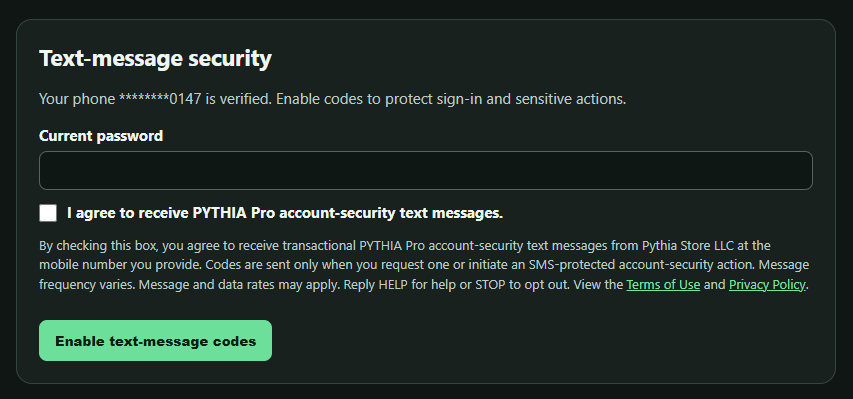
After the phone is verified, the signed-in user enters the current password and must affirmatively check the checkbox labeled “I agree to receive PYTHIA Pro account-security text messages.” It is unchecked by default. The user then selects “Enable text-message codes” or “Re-enable text-message codes” and completes code verification.
Declining SMS consent does not prevent ordinary PYTHIA Pro account use. It leaves SMS account security disabled.
Consent disclosure shown with each checkbox
By checking this box, you agree to receive transactional PYTHIA Pro account-security text messages from Pythia Store LLC at the mobile number you provide. Codes are sent only when you request one or initiate an SMS-protected account-security action. Message frequency varies. Message and data rates may apply. Reply HELP for help or STOP to opt out. View the Terms of Use and Privacy Policy.
Exact sample message
A requested one-time passcode uses this message format:
PYTHIA Pro: Your security code is 123456. It expires in 10 minutes. Reply STOP to opt out; HELP for help.
Visual evidence of the login-gated flow
Select any image to open its full-resolution, same-site original. These sanitized captures come from the reviewed console Preview.
Frequency, opt-out, help, and re-enrollment
- Message frequency varies with user-requested account-security activity. Message and data rates may apply.
- Reply STOP to opt out. A user may also remove the mobile number in authenticated Account Security.
- Reply HELP for help or email info@pythiascorecard.com.
- There is no keyword-based initial enrollment. After a prior STOP, replying START or UNSTOP only lifts the carrier-level block. The user must still return to authenticated Account Security and complete the separate unchecked-checkbox flow to re-enable SMS security.