
This page explains the authenticated opt-in process. It is not a public signup form and does not collect a phone number, password or consent.
Echo is an AI assistant from Pythia Store LLC. It answers questions you text about the store service results you are allowed to see, and it sends short scheduled updates about those results: a morning note, a weekly summary, recognition and coaching tips. Employees receive only their own results. There are three ways to opt in. Each is recorded with its time and wording, and each box starts unchecked.
1. Owners and managers, during account setup
- Sign in to your existing Pythia account and verify a mobile number you own or are authorized to use in Account Security.
- On the step where you enter your verification code, a separate box appears below the code field. It is unchecked by default. Check it only if you want Echo texts.
- When you confirm the code with the box checked, your Echo text link is created. Leaving it unchecked changes nothing else about your account.
Text me Echo updates and let me text Echo back. Msg frequency varies. Msg & data rates may apply. Reply HELP for help, STOP to opt out. From Pythia Store LLC. Terms: pythiascorecard.com/terms-of-use Privacy: pythiascorecard.com/privacy-policy
2. Employees, added by their manager
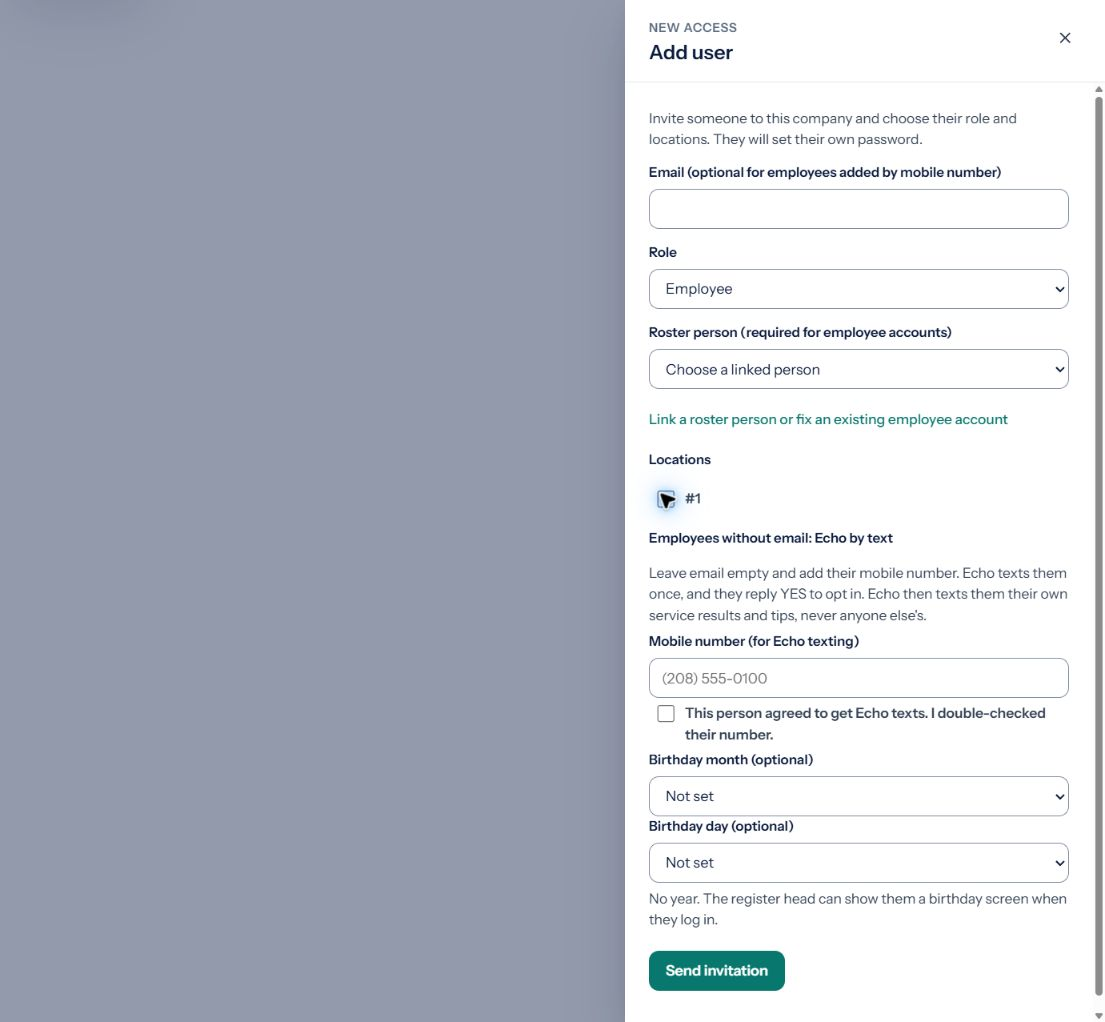
- A store manager, district manager or owner opens Users and Access, chooses Add user with the Employee role, and enters the employee's mobile number. Employees do not need an email address.
- The manager confirms the number was double-checked. Nothing is sent to the number; the console shows the manager an instruction to pass on: “Tell [first name] to text ECHO to the Echo number.” The invitation stays open for 30 days.
- The employee opts in by texting the keyword ECHO to the Echo number from that phone. That text is the consent. Echo sends nothing to the number before it arrives.
- Echo replies once with the welcome below, which carries the program disclosures, and the employee's Echo access is created. A STOP reply at any time opts out.
Hi [first name]! You're connected to Pythia Echo (Pythia Store LLC) as [role] at [store]. Echo texts you your own service results and tips. Msg frequency varies. Msg & data rates may apply. Reply HELP for help, STOP to opt out. Terms pythiascorecard.com/terms-of-use Privacy pythiascorecard.com/privacy-policy
3. Any signed-in person, in Echo settings
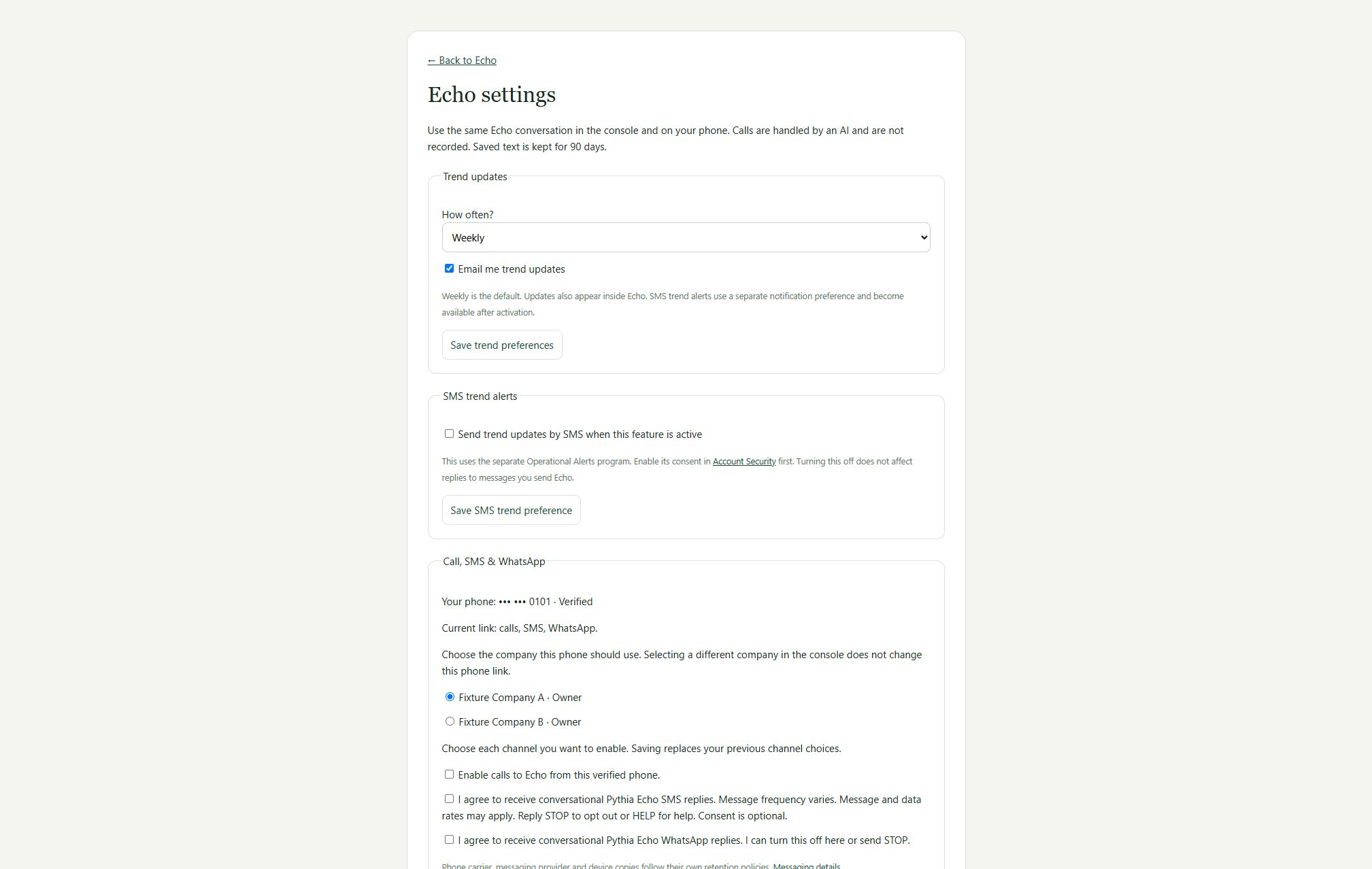
- Open Echo settings and select the company to use for your conversations.
- Check the separate SMS consent box, enter your current password and save the link. SMS, WhatsApp and phone are separate choices, all unchecked by default.
- Use the same settings to turn messages off. You can also reply STOP to the program's number.
What Echo sends: replies to the questions you text, plus a limited number of scheduled updates each week based on your role, never during the store's quiet hours. Every text ends with how to stop.
No enrollment by public form, QR code, paper or verbal request. Only a number a manager added in the console can join by texting ECHO; any other number texting ECHO gets one fixed reply that it is not set up. Replying START alone does not enroll a phone; after a STOP, START, UNSTOP or YES only lets the number reach your phone again, and messages resume only after you opt in again through one of the ways above.
Message and data rates may apply. Consent is optional and is not a condition of purchase. Reply STOP to opt out or HELP for help. No marketing or promotional messages are sent through this program.
We do not share, sell, or provide your mobile phone number or messaging consent data to third parties or affiliates for marketing or promotional purposes.
Read our SMS Messaging Policy, Terms of Use §25 and Privacy Policy. For assistance, email info@pythiascorecard.com.